

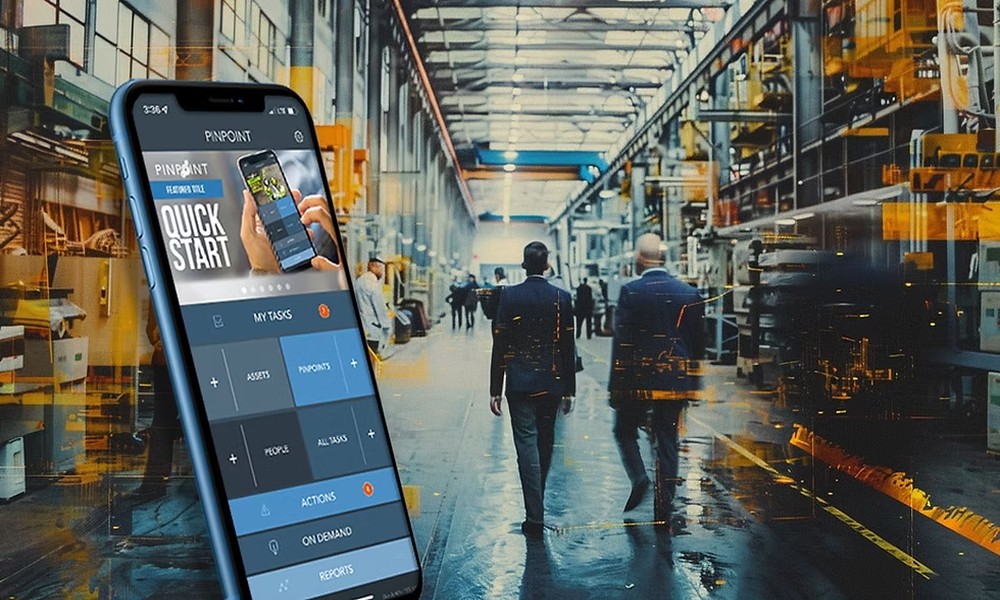
The tools built for frontline workers have historically been designed by people who don’t use them. Enterprise software gets specced in conference rooms, built by developers working at desks, and rolled out to technicians working in warehouses, on job sites, in customer locations, and inside equipment bays. The disconnect between how the tool was imagined and how it gets used in practice is one of the most persistent sources of failed adoption in operational technology.
The Frontline Technology Gap
Frontline workers represent a significant share of the global workforce – in manufacturing, logistics, healthcare, utilities, retail, and field operations – and they are consistently the least well-served by enterprise technology investment. Back-office systems have been through multiple generations of improvement. The tools frontline workers use daily have often changed far less.
The gap shows up in concrete ways. Desktop-first software with no mobile optimization requires workers to find a terminal or laptop to complete tasks they could handle in seconds on a phone. Forms designed for keyboard entry are nearly impossible to complete efficiently on a touchscreen. Workflows that assume a stable internet connection break down entirely in basements, rural locations, or facilities with poor connectivity. These aren’t edge cases – they’re the daily reality of the people the tools are supposed to serve.
The cost is real and measurable. When tools are difficult to use in context, workers find workarounds: paper forms, text messages, memory. Data that should be captured in the system doesn’t get captured, or gets entered hours later when someone is back at a desk, stripped of the context and accuracy that real-time entry would have preserved.
What Mobile-First Actually Means
Mobile-first is not the same as mobile-compatible. A tool that technically functions on a phone but was designed for a desktop is not a mobile-first tool. Mobile-first means the primary design target is the device the worker actually carries – optimized for touch input, readable in variable lighting, functional with one hand, and capable of operating on intermittent connectivity.
In field workforce operations specifically, the requirements go further. Job details need to be accessible offline before a technician arrives on site. Work order completion needs to be possible without a reliable signal. Photo documentation, parts lookup, customer signature capture, and time logging all need to work in the conditions the technician is actually working in, not the conditions the designer imagined.
The organizations that have gotten mobile-first right in field workforce tools have done it by involving frontline workers in the design process early – watching how work actually gets done, identifying where current tools create friction, and testing prototypes in real working conditions rather than controlled demos. The result is tools that get used because they make the job easier rather than tools that get tolerated because compliance requires it.
The Data Dividend of Better Frontline Tools
The business case for investing in better frontline technology isn’t purely about worker experience – though that matters both for retention and for the quality of work produced. The more immediately measurable return comes from the data that well-designed mobile tools capture that poorly designed ones don’t.
When a technician can log job notes, capture asset conditions, record parts used, and document work completion in the moment rather than reconstructing it later, the accuracy and completeness of operational data improves dramatically. That data feeds scheduling optimization, inventory management, warranty tracking, and customer billing. It becomes the foundation for the kind of operational analytics that leadership wants but rarely gets because the underlying data is too incomplete to trust.
Organizations that have made this connection – between frontline tool quality and operational data quality – tend to find that the investment case for better mobile tools is significantly stronger than it first appears, because the benefits extend well beyond the frontline worker and into every downstream process that depends on what those workers capture.
Connectivity and Offline Capability Are Non-Negotiable
One of the most common failure modes in frontline mobile tool deployment is underestimating the connectivity challenge. Developers and product managers working in offices with reliable WiFi design tools that assume reliable connectivity. The tools then fail – partially or completely – in the environments where frontline workers actually operate.
Offline-first architecture, where the application stores data locally and syncs when connectivity is available, is the appropriate design pattern for tools intended for frontline use. It’s more complex to build than connectivity-dependent alternatives, which is why it gets cut when timelines compress. It’s also one of the most important functional requirements for adoption in environments where connectivity is variable.
Adoption Requires More Than a Good Product
Even well-designed mobile tools fail if rollout doesn’t account for the human side. Frontline workers who have been given tools that didn’t work in the past are skeptical by default. Demonstrating that the new tool was designed with their reality in mind – and delivering on that promise in the first week of use – is what converts skepticism into adoption.
Training for frontline workers needs to be brief, practical, and available in the moment rather than delivered in a classroom setting that frontline schedules rarely accommodate. In-app guidance, short video walkthroughs, and peer-to-peer knowledge sharing tend to work better than formal training programs for workers whose jobs don’t include time at a desk.
The organizations getting frontline technology right are the ones that treat deployment as the beginning of the work rather than the end of it – iterating on the tool based on what workers actually encounter, rather than declaring success at go-live and moving on.